Diagnosis Dictionary
The Diagnosis dictionary contains standard codes used to group and identify diseases, disorders, symptoms, human response patterns, and medical signs, and are used to measure morbidity and mortality.
The codes are pre-populated in the database and updated annually by AmkaiSolutions.
Diagnosis codes are referenced in Scheduling, Demographics, Clinical Documentation and Financial Management modules. These codes are also referenced in AmkaiCharts EMR.
This dictionary is shared within the Business Group.
To add a new diagnosis
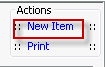
- Click New Item from the
Actions sectionActions section
in the upper right of the dictionary. Complete the following fields.
- Name: Enter a description of the item to be entered. This is a mandatory field and must be unique. You may skip this field, as you will have the opportunity in step 4 to allow the system to enter the name for you based on the ICD10 code you select.
- Quick Code: This field will populate based on your selection in step 4. You can, however, override the information either by entering a different quick code in this field or by clicking Generate Quick Code to have the system generate a new code (as in step 5 below).
- ICD10 Diagnosis code: Select from the drop down the ICD10 CM code that should be associated to this item. The system will display a message asking if you wish to use the Quick code and description of the ICD0 code as the Quick Code and Description of the diagnosis. If you click Yes on the message, both fields will populate as indicated
- ICD9 Diagnosis code: Since ICD10 Diagnosis Codes are required for all claims output (as of October 1, 2015), you would only need to select an ICD9 code to associate to the diagnosis if you will be billing for procedures performed prior to October 1, 2015. If you need to do this, follow the instructions for selecting a code as in step 4.
- Diagnosis type: (optional) Select the Diagnosis type (as defined in the Diagnosis Type dictionary) that should be associated to this item. This is used for report purposed only.
- External Cause of Injury (ECI): Check this box to indicate that this code should be referenced as a cause of injury code. Only codes with this box checked will be included in the drop down selection menu for E-Codes. External Cause of Injury (E Codes) are reported in FL 72 a-c on UB-04 paper claims and Loop 2300 for 837:5010 electronic claims.
- Generate quick code: If the Preference to Auto generate quick code has been set, this field will be displayed when new items are added to the dictionary. If a quick code has not been set or if you would like to override the code that has been entered in the field, click the button to have the system generate a quick code.
- Click one of the following buttons:
- Save
and DoneSave
and Done
Click to save your changes and return to the Items screen.
- Save
and NewSave
and New
Click to save your changes and clear the fields on the dialog, so you can add another new Item to the dictionary.
- CancelCancel
Click to discard your changes and return to the Items screen.
- Save
and DoneSave
and Done