Code Updater Tool - Pre-Update Tasks
This topic provides instructions for preparing to run the Code Updater Tool.
Pre-Update Tasks
- Download the latest Code Updater File from Amkai Central. Click herehere for more information.
Locate the file that includes the code set(s) you wish to update under the Documentation link and click on the title. The Document Details screenDocument Details screen appears.
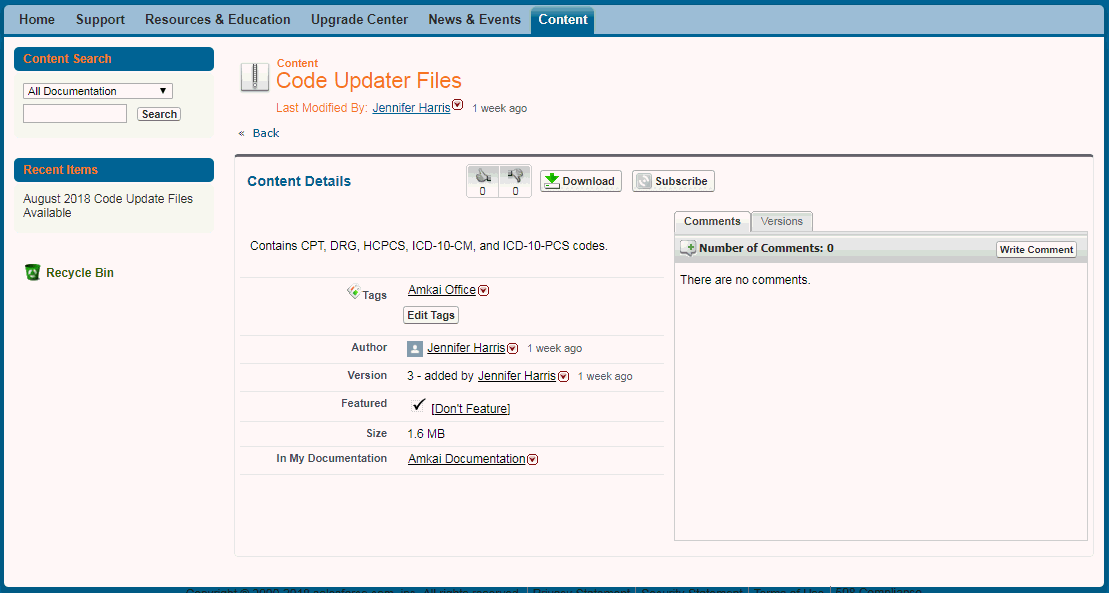
Click Download. Save the file to your local network or local PC. To receive an email alert whenever a new version of the Code Updater file is released, click Subscribe. A popup alert on the screen will indicate that you are now subscribed.
- Set a Date and Time to run the Code Updater, and notify users that AmkaiOffice will not be accessible during that time. No one will be able to access AmkaiOffice while the updater is running. The update can take 2 or more hours to complete depending on the code set(s) and options selected, system speed, and other factors.
- Backup the AmkaiOffice Database shortly before beginning the Code Updater. This backup should be stored where IT and/or SIS Support can access it if necessary.
- Ensure you or the user who will perform the update has the appropriate access:
- AmkaiCentral Client Portal (https://siscentral.force.com/amkai/). If you do not have access, contact Support@Amkai.com.
- You must be mapped to at least 1 Business Entity (BE) within each Business Group for which you will be performing the Code Update
- Within that BE, you should have access to System Administration > Code Updater.
-
- Edit the User's Role to assign Full Access for the Code Updater Checkpoint (System Administration > Security > Roles > System Administration > Code Updater)
- Determine the Code Set(s) to be updated:
- If updating CPT and/or HCPCS Codes: Determine what descriptions you want to use:
-
-
Decide whether to use the “Short” (up to 28 characters) or “Full” (up to 48 characters) in the CPT code update.
-
Regardless of description length used in the update, the system will store the “long” description (up to 4000 characters) in the Note field in the CPT Code Dictionary.
-
-
If updating CPT and/or HCPCS Codes: Determine whether to replace current Procedure current descriptions with the standard Descriptions.
-
If updating ICD-10 Diagnosis Codes: Determine whether to replace the current Diagnosis descriptions with the standard Descriptions.