Implementing ERA (Electronic Remittance Advice Posting), V. 3.16 - 3.18
The Electronic Remittance Advice Posting (ERA) feature in AmkaiOffice is an add-on module that enables facilities to have the Electronic Remittance Advice posted automatically to patient accounts. The industry standard for sending ERA data is the HIPAA X12N 835 standard.
Used in conjunction with AmkaiOffice management software, Electronic Remittance Advice Posting makes it possible to reduce manual posting of claim payments and reconciling of patient accounts, thereby saving your facility time and money.
AmkaiSolutions offers ERA as an add-on service that is available for purchase.
ERA Project Plan
When the ERA option is implemented at your facility, the Client Services Department will work with you to ensure the necessary licenses are updated in the system. A project manager will also be assigned to your account to implement the work plan to bring the ERA Posting option online. The basic project plan will include the following steps:
- Coordinate with your staff to contact your clearing house to obtain samples of your 850 EDI file for testing
- Test in-house to ensure the files are properly configured and meet the HIPAA X12N 835 standards
- Work with your staff to set up and configure the AmkaiOffice software to accept the ERA files
- Identify which of the staff will be using the ERA options and train the users in the new option
- Work with the staff to ensure a smooth transition to ERA posting on an on-going basis
Setup and Configuration Steps
These steps are required to implement Electronic Remittance Advice Posting at your facility:
Create an entry in the Electronic Remittance Posting dictionary for each carrier that requires a unique posting configuration of the 835 ERA. You do not need to set up a posting configuration per carrier, you only need to create multiple configurations if you want different rules to be applied to different payors.
(Example: if you want to post write-offs for payments received from Medicare, but not if the payment is from Blue Cross, you would create two posting configuration set ups in the dictionary to accommodate the different rules.)
Click here to learn how to setup a carrier in the Electronic Remittance Posting dictionary.
Create a folder (preferably on a network drive for access by multiple users) to house all of the electronic remittance posting files. These files should be received by your facility through the regular channels and then moved to the folder created for the sole use of AmkaiOffice ERA Posting. The assistance of IT staff may be required to set up the new folder on your network.
Verify that the Federal Tax ID entered in the Facility Organization Dictionary matches the ID that is being used in the 835 Remittance File received from your clearing house. If the ID entered in the system does not match the ID included in the 835 electronic file the system will display an error message at Preview or Posting indicating “No match on Federal Tax ID”.
Click herehere to learn how to verify or enter the Federal Tax ID.
- Select the Enterprise
> Organization Sheet Bar option from the Administration
module. The Organization
screenOrganization
screen appears.
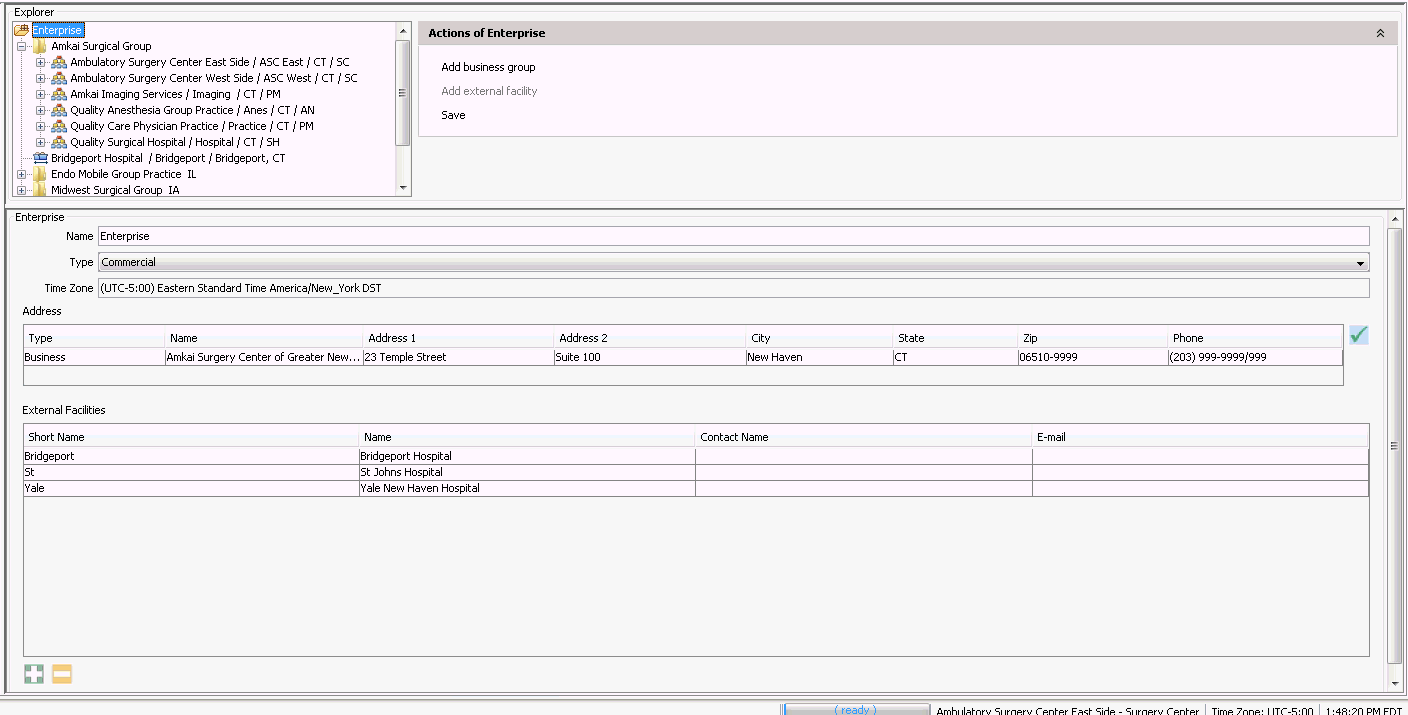
- Select Organization under the Enterprise heading.
- Click the + for the Business Group.
- Click the + for the Business Entity.
- Select the Facility and verify the number entered in the Federal Tax ID field.
- Click Save to update any changes.
- Select the Enterprise
> Organization Sheet Bar option from the Administration
module. The Organization
screenOrganization
screen appears.
Update AmkaiOffice users' security roles to enable setup and/or use of the new feature. Click each task to view the changes that should be made to security roles:
For staff members who will determine how posting should be done by configuring the posting parameters for carriers.
Posting Payments using the ERA Posting Feature
Once the necessary setup and configuration steps have been performed, you are ready to use the ERA posting feature. Click here to learn how.